


Download TVShows – Automatic Torrent Tracker for Your Favorite Series
Overview
TVShows is a lightweight macOS preference‑pane application designed to take the hassle out of managing TV‑show torrents. Instead of manually searching RSS feeds, hunting for torrent files, or juggling multiple BitTorrent clients, TVShows automates the entire discovery process. The app continuously scans a curated list of torrent sources, identifies new episodes that match your subscription criteria, and saves the corresponding .torrent files to a location of your choice.
While TVShows does not act as a BitTorrent client itself, it can launch your preferred client (such as Transmission, uTorrent, or qBittorrent) with a single click, passing the freshly downloaded torrent file directly to it. This separation keeps the app small, secure, and focused on what it does best—tracking. Advanced users also benefit from built‑in synchronization with the Miso service, allowing episode status, watch‑list changes, and subscription data to be shared across multiple Macs.
The latest release adds HD torrent support, a revamped subscription list with a filter bar, Growl notifications that display show covers, and smarter timer handling that respects system sleep cycles. Although early versions suffered from occasional source failures, the current build has addressed most stability issues, offering a reliable, low‑maintenance solution for binge‑watchers who prefer torrent‑based distribution. Whether you are a casual viewer who wants to catch the next episode automatically or a power user looking to sync multiple devices, TVShows delivers a secure, customizable, and “set‑and‑forget” experience.
Key Features
- Automatic detection of new episodes across multiple torrent indexes.
- Supports three quality tiers – Normal, High, and Very High – with HD torrent handling.
- Seamless integration with any external BitTorrent client via custom launch commands.
- Subscription synchronization through Miso for backup, multi‑device sharing, and remote management.
- Intelligent fallback: if a torrent from one source is corrupt, another source is tried automatically.
- Customizable episode naming formats (S01E01 or 1x01) and season‑based folder sorting.
- Growl notifications featuring show artwork for instant visual feedback.
- Background timer that respects system sleep, waking instantly when the computer resumes.
- Localized interface with updated translations for a global audience.
- Robust error handling, including validation of torrent files before launch.
Installation & Usage Instructions
Step‑by‑Step Installation
1. Download the latest TVShows .dmg file from the official website.
2. Open the disk image and drag the TVShows preference pane into the /Library/PreferencePanes folder (or ~/Library/PreferencePanes for a single‑user install).
3. Launch System Preferences and click the newly added TVShows icon to open the configuration panel.
Initial Configuration
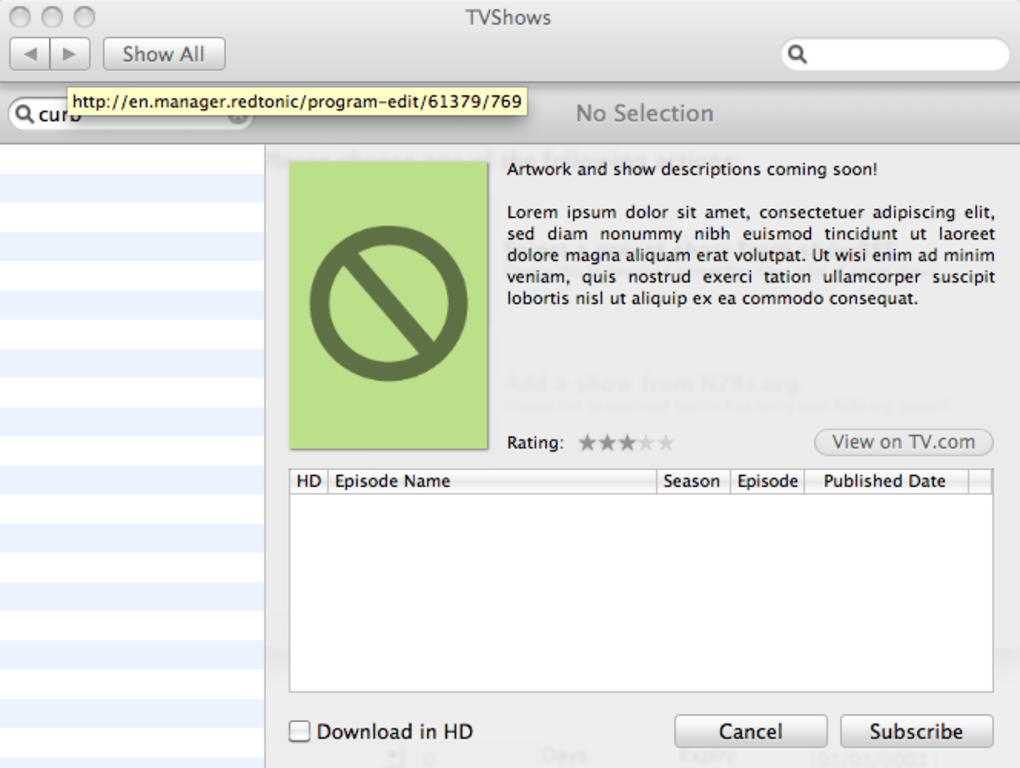
After opening the pane, you’ll be prompted to enter your Miso credentials (optional but recommended). Next, click “Add Subscription” and either search for a show by name or import a list of series from a plain‑text file. For each show you can set the desired quality level, specify the folder where torrent files should be saved, and choose the external BitTorrent client that will handle the download.
Running the Background Helper
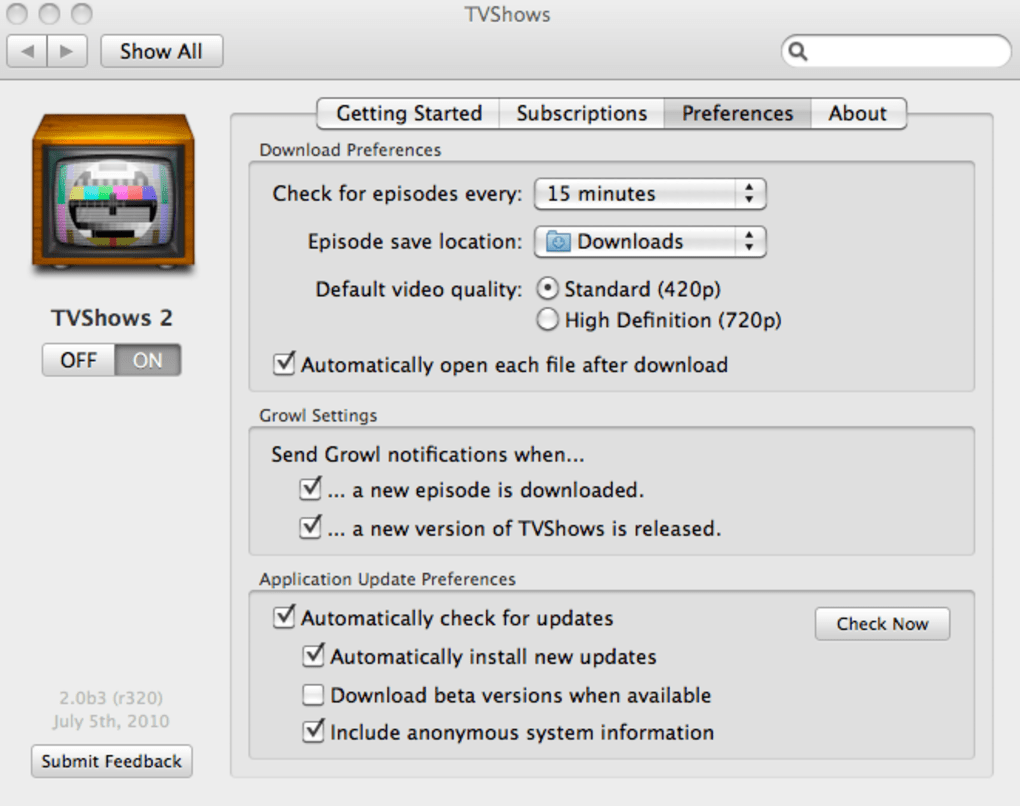
The TVShowsHelper daemon runs in the background and checks for new episodes at intervals you define (default is every 30 minutes). The timer automatically adjusts for sleep periods, ensuring that no new releases are missed while your Mac is idle. When a matching torrent is found, the helper saves the .torrent file and, if you enabled “Auto‑Launch Client,” immediately opens your chosen client with the file pre‑loaded.
Troubleshooting Common Issues
If no torrents appear, verify that your internet connection is active and that the selected sources are reachable (some indexes may be geo‑blocked). Also, ensure that the external client’s command line path is correct in the preferences. The “Check Logs” button provides detailed output that can help pinpoint connectivity or permission problems.
Compatibility, Pros & Cons
TVShows is built exclusively for macOS (10.12 Sierra and later). The app runs natively on Intel and Apple Silicon Macs, taking advantage of Rosetta 2 when necessary. While there is no Windows, Linux, Android, or iOS version, the underlying concept can be replicated with alternative tools on those platforms.
Pros
- Fully automated episode tracking eliminates manual RSS searches.
- Lightweight and does not consume significant CPU or memory.
- Works with any BitTorrent client you already trust.
- Syncs across multiple Macs via Miso, preventing duplicate downloads.
- HD torrent support ensures you can get the highest quality available.
- Customizable naming and folder organization keep your library tidy.
Cons
- macOS‑only; Windows and mobile users must look for alternatives.
- Relies on external torrent sources, which can occasionally be offline.
- Initial setup (Miso sync, client paths) may be confusing for beginners.
- No built‑in media player; you still need a separate player for playback.
Frequently Asked Questions
Does TVShows download the video files itself?
No. TVShows only fetches the .torrent files. You must have a separate BitTorrent client to download the actual video content.
Can I use TVShows without a Miso account?
Yes. Miso synchronization is optional; you can run TVShows as a standalone tracker on a single Mac.
Which BitTorrent clients are compatible?
Any client that accepts a .torrent file via command line works, including Transmission, qBittorrent, uTorrent, and Deluge.
How does TVShows handle corrupted torrent files?
If a downloaded torrent fails validation, TVShows automatically tries another source for the same episode, reducing the chance of a bad download.
Is TVShows safe and free from malware?
The application is signed by the developer, distributed via a secure HTTPS download, and contains no adware or hidden payloads.
Conclusion & Call to Action
TVShows fills a niche that many binge‑watchers have long needed: a hands‑free, macOS‑native solution for tracking and retrieving TV‑show torrents. By separating the tracking logic from the actual download engine, it stays lightweight, secure, and highly customizable. If you’re tired of manually checking forums or RSS feeds for the latest episodes, give TVShows a try.
Download the free installer, set up your favorite series, and let the app handle the rest while you focus on watching. For power users, enable Miso sync to keep your library consistent across all your Macs. Start automating your TV‑show collection today and enjoy a smoother, more reliable viewing experience.
TVShows offers a polished, no‑frills approach to torrent tracking on macOS. Its automation and Miso sync are standout features, though the lack of Windows support keeps it niche. Overall, a solid 4‑star utility for Mac enthusiasts.







